Autowalk, autorun and auto eat in The Isle: Evrima
Three keys, all off until you press them. They send real key presses to the game, so read your server's rules first: some unofficial servers don't allow autowalk or other automation.
Autowalk and autorun
- F4Autowalk. Holds W, so your dinosaur keeps moving while stamina recovers.
- F5Autorun. Holds W and Shift.
- StopsPress the same key again, press and release W yourself, or press W or S with the map open. The other key switches mode. Both also stop if you close the game, pause Atlas Maps or spawn as a new dinosaur.
- StaminaAutorun doesn't stop by itself when stamina runs low. Atlas Maps shows a warning instead: Low stamina. Start walking.
Auto eat and drink
Start eating or drinking, then press F6. Atlas Maps holds E until you're full.
- StopsFood at 100% or water at 91% and up. F6 again, or when you press E, W, A, S, D or Space.
- SafetyIt also stops after 10 seconds with no rise, after 10 minutes in total, and if you close the game, pause Atlas Maps or spawn as a new dinosaur.
See what's on
The status panel shows which of the three is running.
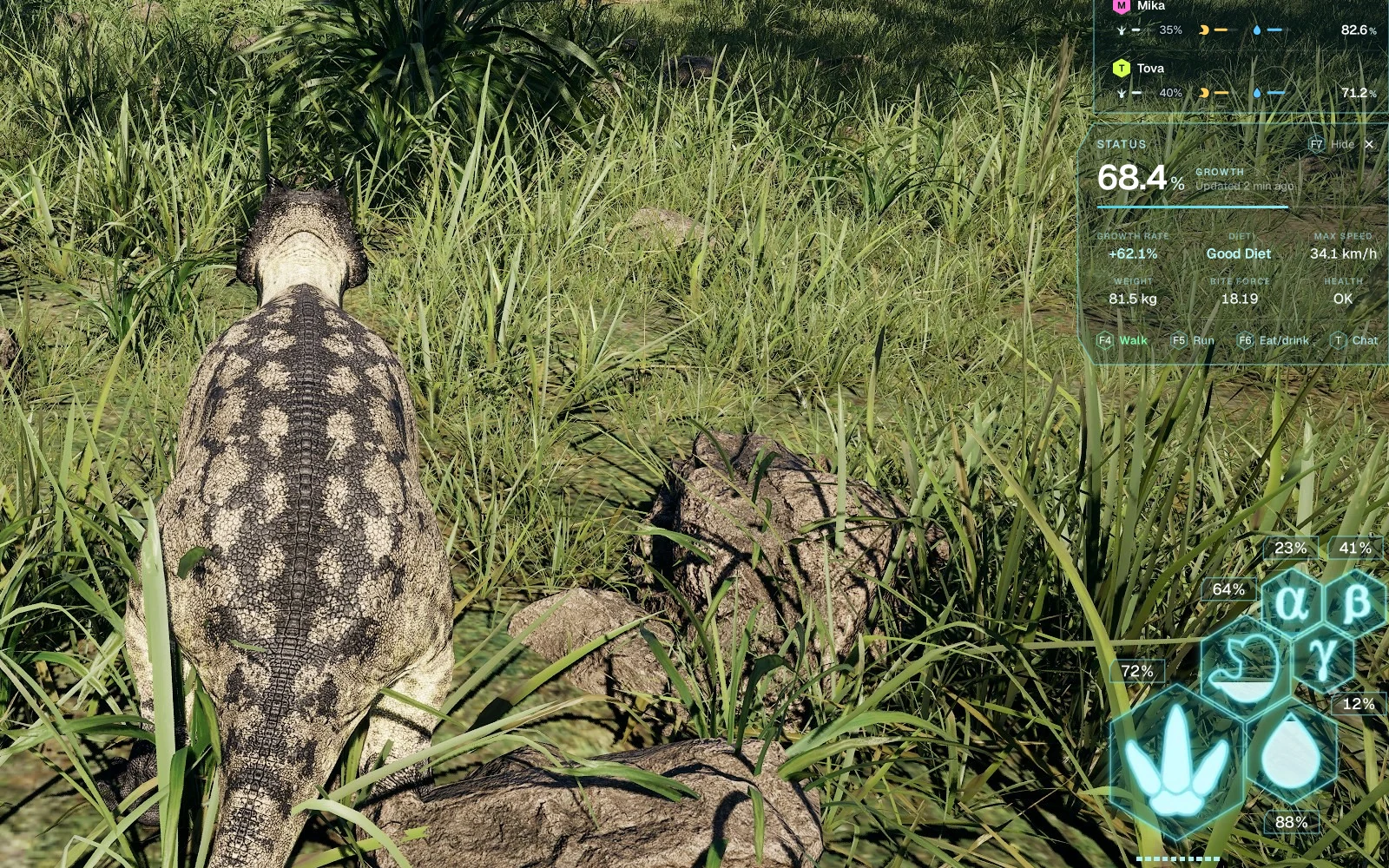
Switching windows and typing
F4 and F5 work from any window and bring the game back into focus. A setting decides whether you keep walking when you switch windows. While you type in the chat, W is a letter, not a step.
Check the rules first
Some unofficial servers don't allow autowalk or macros, so read the rules of the server you play on. See what Atlas Maps sends to the game.
Read next
Atlas Maps for The Isle: Evrima
Free for the first 2,000 players, or until 5 December 2026, whichever comes first.$5, VAT included. Windows 10 and 11.
Download Atlas Maps